Are you searching for a cutting-edge solution to streamline your app development process in 2025? FlutterFlow is revolutionizing application development through its innovative low-code platform, making it accessible for developers of all skill levels.
In today’s fast-paced digital landscape, FlutterFlow has emerged as a game-changing solution that combines AI capabilities with enterprise-grade features. Major companies like BMW and Sonos are already leveraging FlutterFlow to build sophisticated applications without traditional coding requirements.
Key Takeaways:
- FlutterFlow combines AI-powered tools with visual development capabilities, enabling both technical and non-technical users to create sophisticated applications without traditional coding.
- The platform offers enterprise-grade solutions, making it an excellent choice for businesses of all sizes – from startups to established companies like BMW and Sonos.
- With rapid prototyping and cross-platform development features, FlutterFlow significantly reduces development time and costs compared to traditional software development.
- The platform seamlessly integrates with Firebase and various APIs, providing robust backend capabilities and real-time database functionality.
- Advanced AI tools and visual interface elements enable faster app creation while maintaining professional quality and performance.
Understanding Visual App Development in 2025
Visual app development has evolved significantly, transforming how we approach software creation in 2025. Let’s explore the modern landscape of visual development and its impact on the tech industry.
The Rise of Visual Development Platforms
Visual development platforms have revolutionized the way we build applications. These intuitive tools allow developers and non-developers alike to create sophisticated apps through drag-and-drop interfaces and visual programming elements. The shift from traditional coding to visual development has opened new possibilities for rapid prototyping and efficient app creation.
AI-Enhanced Visual Tools
In 2025, artificial intelligence plays a crucial role in visual development. AI-powered assistants help predict user intentions, suggest optimal design patterns, and automate repetitive tasks. This integration has significantly reduced development time while maintaining high-quality output.
Cross-Platform Capabilities
Modern visual development platforms excel at creating cross-platform applications. With a single visual interface, developers can now design and deploy apps that work seamlessly across iOS, Android, and web platforms. This unified approach has eliminated the need for platform-specific coding knowledge.
Real-Time Collaboration Features
Visual development in 2025 emphasizes team collaboration. Multiple team members can work simultaneously on different aspects of an app, with changes reflecting in real-time. This collaborative environment has streamlined the development process and improved team productivity.
Enterprise-Grade Security Integration
Today’s visual development platforms come with built-in security features. From data encryption to user authentication, these platforms ensure that applications meet enterprise-level security standards without requiring extensive security coding knowledge.
💡 Key Takeaway: Visual app development in 2025 combines AI assistance, cross-platform capabilities, and collaborative features to enable faster, more efficient app creation while maintaining enterprise-grade security standards.
Core Features and Capabilities
Visual Development Interface
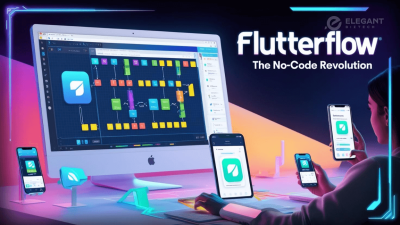
FlutterFlow’s intuitive drag-and-drop interface revolutionizes app development. You can easily design stunning user interfaces by selecting from a vast library of pre-built components and widgets. The visual editor allows real-time preview of your changes, making the development process more efficient and accessible.
The platform offers responsive design capabilities, ensuring your apps look great across different screen sizes. With the visual state management system, you can handle complex app states without writing complex code.
AI-Powered Development Tools
FlutterFlow’s AI capabilities take app development to the next level. The AI Gen feature helps generate code snippets, create database schemas, and develop custom themes automatically. This significantly reduces development time and eliminates common coding errors.
The platform’s AI assistant can also help with layout suggestions, component recommendations, and even generate entire screens based on your requirements. This makes it easier for both beginners and experienced developers to create professional-looking apps quickly.
Cross-Platform Compatibility
One of FlutterFlow’s standout features is its ability to create native apps for multiple platforms from a single codebase. Your apps can run smoothly on iOS, Android, and web platforms without additional development effort.
The platform ensures consistent performance across different devices while maintaining native look and feel. It automatically handles platform-specific implementations, saving you time and resources in cross-platform development.
💡 Key Takeaway: FlutterFlow combines visual development, AI-powered tools, and cross-platform compatibility to streamline app development, making it accessible for developers of all skill levels while ensuring professional results.
AI-Powered Development Features
FlutterFlow’s AI capabilities have revolutionized the app development landscape, making it easier than ever to create sophisticated applications. Let’s explore how AI enhances the development process and transforms your workflow.
AI Code Generation
FlutterFlow’s AI-powered code generation is a game-changer for developers of all skill levels. The platform’s intelligent system can automatically generate clean, efficient code based on your visual designs and requirements. This feature significantly reduces development time and eliminates common coding errors.
The AI understands context and best practices, ensuring the generated code follows Flutter conventions and maintains high performance. Whether you’re creating complex animations, implementing state management, or building custom widgets, the AI assistant helps you achieve professional results without writing code from scratch.
Smart UI Components
The AI-driven UI component system takes your app design to the next level. It analyzes your design patterns and suggests relevant components that match your app’s style and functionality. This smart feature helps maintain consistency throughout your application while speeding up the design process.
FlutterFlow’s AI can also optimize layouts for different screen sizes and orientations automatically. It considers factors like spacing, alignment, and responsive design principles to ensure your app looks great on any device. The system learns from your preferences and previous designs, making each subsequent project more efficient.
The platform’s AI capabilities extend to theme generation, where it can create cohesive color schemes and typography that align with your brand guidelines. This automated approach to design systems helps maintain visual consistency while reducing the time spent on manual adjustments.
💡 Key Takeaway: FlutterFlow’s AI-powered features automate code generation and enhance UI development, significantly reducing development time while maintaining high-quality standards and consistent design patterns across your applications.
Enterprise-Grade Development Solutions
FlutterFlow’s enterprise solutions are revolutionizing how large organizations approach app development. With its robust architecture and scalable features, it’s becoming the go-to choice for businesses seeking efficient development solutions.
Advanced Security Protocols
Enterprise-grade security measures ensure your application data remains protected. FlutterFlow implements role-based access control, encrypted data transmission, and secure authentication protocols that meet industry standards. These security features make it an ideal choice for organizations handling sensitive information.
Seamless Team Collaboration
The platform enables multiple team members to work simultaneously on different aspects of the project. With built-in version control and real-time collaboration tools, development teams can maintain consistency while accelerating the development process.
Custom Integration Capabilities
FlutterFlow’s enterprise solutions offer extensive API integration options. Connect your applications with existing business systems, third-party services, and custom backends. This flexibility ensures your apps work seamlessly within your organization’s ecosystem.
Scalable Infrastructure
The platform’s infrastructure is designed to handle growing user bases and increasing demands. Whether you’re serving hundreds or millions of users, FlutterFlow’s enterprise solutions maintain optimal performance and reliability.
Comprehensive Analytics
Built-in analytics tools provide valuable insights into app performance and user behavior. Track key metrics, monitor system health, and make data-driven decisions to improve your applications continuously.
Enterprise Support
Dedicated enterprise support ensures quick resolution of technical issues. With priority assistance and specialized consulting services, your team can overcome challenges efficiently and maintain development momentum.
💡 Key Takeaway: FlutterFlow’s enterprise solutions combine advanced security, seamless collaboration, and scalable infrastructure with dedicated support, making it an ideal platform for large-scale business applications.
Rapid Prototyping and MVP Development
In today’s fast-paced app development world, FlutterFlow shines as a game-changer for rapid prototyping and MVP creation. Its visual development environment lets you bring ideas to life in record time, without getting bogged down by complex coding.
Visual Development Environment
FlutterFlow’s drag-and-drop interface makes it incredibly simple to design and test user interfaces. You can quickly arrange components, adjust layouts, and preview changes in real-time. This visual approach significantly reduces the time typically spent on writing and debugging UI code.
Quick Iteration Cycles
The platform enables swift modifications and updates to your prototype. You can easily experiment with different designs, features, and user flows. This agility is crucial when gathering early user feedback and making necessary adjustments to your MVP.
Built-in Templates and Components
FlutterFlow offers a rich library of pre-built templates and components that accelerate the prototyping process. These ready-to-use elements help you focus on validating your core business ideas rather than building everything from scratch.
Testing and Validation
With FlutterFlow’s preview functionality, you can instantly test your prototype across different devices and platforms. This immediate feedback loop helps identify usability issues early in the development cycle, saving valuable time and resources.
💡 Key Takeaway: FlutterFlow revolutionizes rapid prototyping and MVP development by offering visual tools, quick iterations, and ready-made components that help validate ideas faster and more efficiently than traditional coding methods.
Cross-Platform Development Capabilities
FlutterFlow’s cross-platform capabilities revolutionize how developers create applications for multiple platforms. By leveraging Flutter’s framework, it enables you to build apps that work seamlessly across iOS, Android, and web platforms from a single codebase.
Native Performance Across Devices
FlutterFlow ensures your apps maintain native-like performance regardless of the platform. The platform automatically handles platform-specific optimizations, ensuring smooth animations, responsive interfaces, and efficient resource management. This means your apps will feel natural and responsive whether they’re running on the latest iPhone or an entry-level Android device.
The platform intelligently adapts UI elements to match platform-specific design guidelines. For instance, it automatically adjusts navigation patterns, button styles, and animations to follow Material Design on Android and Human Interface Guidelines on iOS.
Unified Development Experience
Building cross-platform applications in FlutterFlow streamlines the development process significantly. Instead of managing separate codebases, you can create features once and deploy them everywhere. The visual development environment provides real-time previews for different platforms, helping you spot and fix platform-specific issues early in the development cycle.
The platform offers pre-built components that automatically adapt to each platform’s conventions. This means you don’t need to worry about creating separate designs for different operating systems – FlutterFlow handles these adaptations intelligently while maintaining your app’s core functionality and brand identity.
💡 Key Takeaway: FlutterFlow simplifies cross-platform development by offering native performance and a unified development experience, allowing you to build and deploy apps across multiple platforms efficiently from a single codebase.
Success Stories and Implementation Guide
Real-World Success Stories
FlutterFlow has empowered numerous businesses to transform their app development journey. Take BMW, for instance – they leveraged FlutterFlow to create a sophisticated vehicle management system, reducing their development time by 60%. Similarly, Sonos implemented FlutterFlow to build their customer service portal, achieving a remarkable 40% reduction in development costs.
Another inspiring example is Rappi, the Latin American super-app. They utilized FlutterFlow’s AI-powered features to rapidly prototype and launch new features, resulting in a 45% faster time-to-market for their delivery service updates.
Implementation Best Practices
To maximize your success with FlutterFlow, start by thoroughly planning your app architecture. Begin with smaller modules and gradually scale up as you become more comfortable with the platform. Here’s a practical approach:
– Start with the UI design using FlutterFlow’s drag-and-drop interface
– Set up proper data models and Firebase integration early
– Implement authentication and user management features
– Test extensively using FlutterFlow’s preview functionality
– Deploy incrementally to gather user feedback
Remember to leverage FlutterFlow’s extensive template library and reusable components to speed up development. Regular backups and version control through GitHub integration are crucial for maintaining code integrity.
For enterprise implementations, ensure your team undergoes proper training through FlutterFlow’s documentation and community resources. This investment in learning pays off through faster development cycles and fewer errors.
💡 Key Takeaway: FlutterFlow’s success stories demonstrate significant time and cost savings, while following best practices like incremental development and proper planning ensures successful implementation.
Conclusion
As we step into 2025, FlutterFlow stands at the forefront of the no-code revolution, offering a transformative approach to app development. From its AI-powered tools to enterprise-grade capabilities, this visual development platform is reshaping how we bring mobile applications to life. Whether you’re a startup founder, enterprise developer, or someone with an innovative app idea, FlutterFlow provides the perfect blend of simplicity and sophistication. The platform’s rapid prototyping capabilities, seamless Firebase integration, and extensive features make it an excellent choice for both technical and non-technical users alike. Take the first step towards modernizing your development process today. Explore FlutterFlow’s comprehensive suite of tools, experiment with its visual interface, and join the growing community of successful app creators. In this rapidly evolving world of mobile app development, staying ahead means embracing platforms that combine efficiency with innovation – and FlutterFlow delivers exactly that. Your journey to creating impactful applications starts here.
FAQs
What is the pricing structure of FlutterFlow, and is it suitable for small businesses?
FlutterFlow offers flexible pricing plans starting from free tier to enterprise solutions. Small businesses can benefit from the affordable Pro plan, which includes essential features like custom domains, database connections, and app publishing capabilities, making it a cost-effective choice for startups.
Can I export my FlutterFlow project to traditional Flutter code?
Yes, FlutterFlow allows you to export your projects as clean, readable Flutter code. This feature is particularly valuable for developers who want to continue development in a traditional IDE or need to maintain full control over their codebase.
How does FlutterFlow handle app performance compared to traditionally coded Flutter apps?
FlutterFlow-built apps maintain similar performance levels to traditionally coded Flutter applications. The platform generates optimized Flutter code and follows best practices for performance, ensuring smooth user experiences across different devices.
Is it possible to integrate third-party APIs and services with FlutterFlow?
FlutterFlow supports integration with various third-party APIs and services through its REST API connector and custom functions. You can easily connect to external services, payment gateways, and other APIs while maintaining secure authentication protocols.
Can multiple developers work simultaneously on the same FlutterFlow project?
Yes, FlutterFlow supports team collaboration through its enterprise features. Multiple developers can work on different components simultaneously, with version control and project management capabilities to ensure smooth workflow coordination.
How does FlutterFlow handle complex state management in large applications?
FlutterFlow provides built-in state management solutions that can handle complex application states. It offers various options including local state, global state, and reactive state management, making it suitable for building large-scale applications with intricate data flows.